
Help Center
Technical Tab
Home page and system templates, sitemap, robots.txt and staging mode, redirects, the 404 monitor, tracking scripts, and link health.
Last updated
The Technical tab is a site's control room for everything between content and search engines: which page serves at the root, the system templates, the sitemap and robots.txt, plus the site's default share images, meta templates, and business schema (those three are covered in Site SEO).
A note that applies to this whole page: these settings shape the generated static output, so every change here needs a Deploy to reach the live site.
Page Templates#
The Page Templates card assigns real, builder-editable pages to system roles:
| Selector | What it controls |
|---|---|
| Home Page | Which page serves at the site root. No special slug required - any page can be home, and renaming its slug keeps the assignment |
| 404 Page | The page shown for unknown URLs |
| Blog Archive Template | The layout for /blog and its category/tag archives |
| Post Template | The layout wrapped around every single blog post |
Template pages are ordinary pages under reserved slugs, seeded per site and editable in the visual builder - so a client's 404 page can be genuinely designed, not a stock error screen. They are excluded from routes, the sitemap, and link audits. When a selector is empty, the built-in default layout is used.
Sitemap#
The sitemap is always generated at deploy time - there is nothing to turn on. It:
- includes every published page and post,
- excludes drafts, noindexed content, and the system template pages,
- sets sensible priority and change-frequency values automatically.
The Extra URLs list lets you append additional absolute URLs (for example, a subdomain resource you host elsewhere), and the card shows a preview of the generated file. The sitemap URL is referenced from robots.txt automatically.
Robots.txt#
Two controls:
- Staging Mode - one switch that blocks all crawlers site-wide. Use it while a site is under construction; turn it off (and deploy) at launch. It overrides everything else in the file.
- Robots.txt content - the full file body, editable. Leave blank for the sensible allow-all default. The sitemap line is appended automatically.
Preview URLs Never Index#
Every client site also answers on its temporary pages.dev preview URL. The platform keeps that from competing with the real domain automatically:
- Before a custom domain is attached, the preview URL serves with crawling blocked and a noindex header - a pre-launch site cannot leak into search.
- Once a custom domain is live, the preview URL permanently redirects to it, consolidating any accumulated ranking signals.
No configuration needed; this is default behavior.
Redirects#
The Redirects section manages the site's 301 redirect map (source path to destination). Redirects are compiled into the static output at deploy time.
You will mostly create them two ways:
- Automatically offered - renaming a published page's slug prompts you to create the 301 (see Pages).
- By hand - after porting a site whose URL structure changed, or to reclaim an old campaign URL.
Each redirect can be edited, duplicated, disabled, or deleted from its row actions.
404 Monitor#
The 404s section records the URLs real visitors actually hit and miss on the live site - including bot and no-JavaScript traffic, since capture happens at the edge, not in the browser. Common exploit-scanner probes are filtered out automatically so the list stays meaningful.
Working the list:
- Review the misses - typos in a campaign link, stale inbound links, a renamed page you forgot to redirect
- Click a row to create a redirect for it in place
- Clear handled entries
Tracking#
Three layers, from most to least recommended:
- Google Analytics field (Site Settings) - paste a GA4 or Tag Manager ID and the platform injects the snippet with deferred loading, so the tag does not drag down page-speed scores.
- Tracking scripts - named, per-site script entries on the site's Tracking page, which you can enable and disable individually.
- Head / Body script slots - raw HTML snippets for anything else (pixels, chat widgets, call tracking). Scripts are sanitized on save.
When cookie consent is enabled, tracking is gated behind the visitor's consent choice. The platform's own first-party analytics is separate and covered in Analytics.
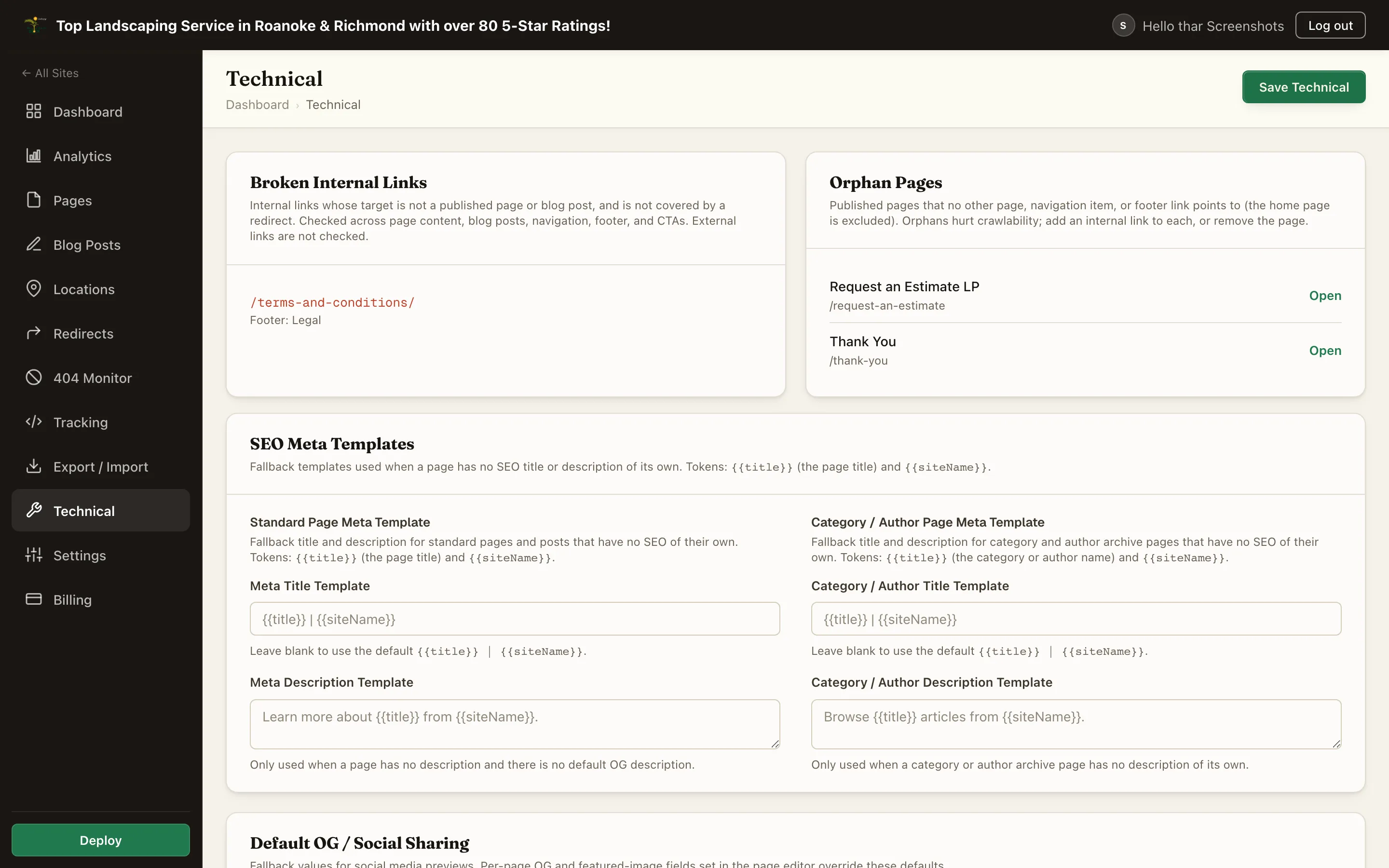
Link Health#
Two audits run over the site's internal link graph:
- Broken Internal Links - links pointing at pages that no longer exist (or were unpublished).
- Orphan Pages - published pages no other page links to, invisible to crawlers walking your site.
Fix broken links in the builder (prefer the internal page picker, which self-heals on renames), and weave orphans into the site's navigation or body copy.
IndexNow#
When configured for the instance, publishing a page or post pings the IndexNow endpoint with the changed URL, nudging participating search engines to recrawl sooner. It is fail-soft: if unconfigured, publishing simply proceeds without the ping.
Summary#
| Tool | Job |
|---|---|
| Page Templates | Home page + 404 / blog / post layouts |
| Sitemap | Auto-generated; add extra URLs |
| Robots.txt | Staging mode + custom rules |
| Redirects | The 301 map, compiled at deploy |
| 404 Monitor | Real misses from the live site, one click to redirect |
| Tracking | GA field, script entries, raw slots |
| Link Health | Broken internal links + orphan pages |