
Help Center
Site Settings
Configure a site's identity, brand colors and fonts, navigation, CTAs, social links, and tracking from the Settings tab.
Last updated
Every site (tenant) has its own Settings tab in the portal. This is where you define the site's identity and brand once, so the builder, the blog, and every rendered page stay consistent. Site Settings are restricted to Administrators; Editors and other content roles cannot change them.
Remember: saving Settings updates the CMS record, but the live site only changes on the next Deploy. See Preview, Publish, and Deploy.
General Settings#
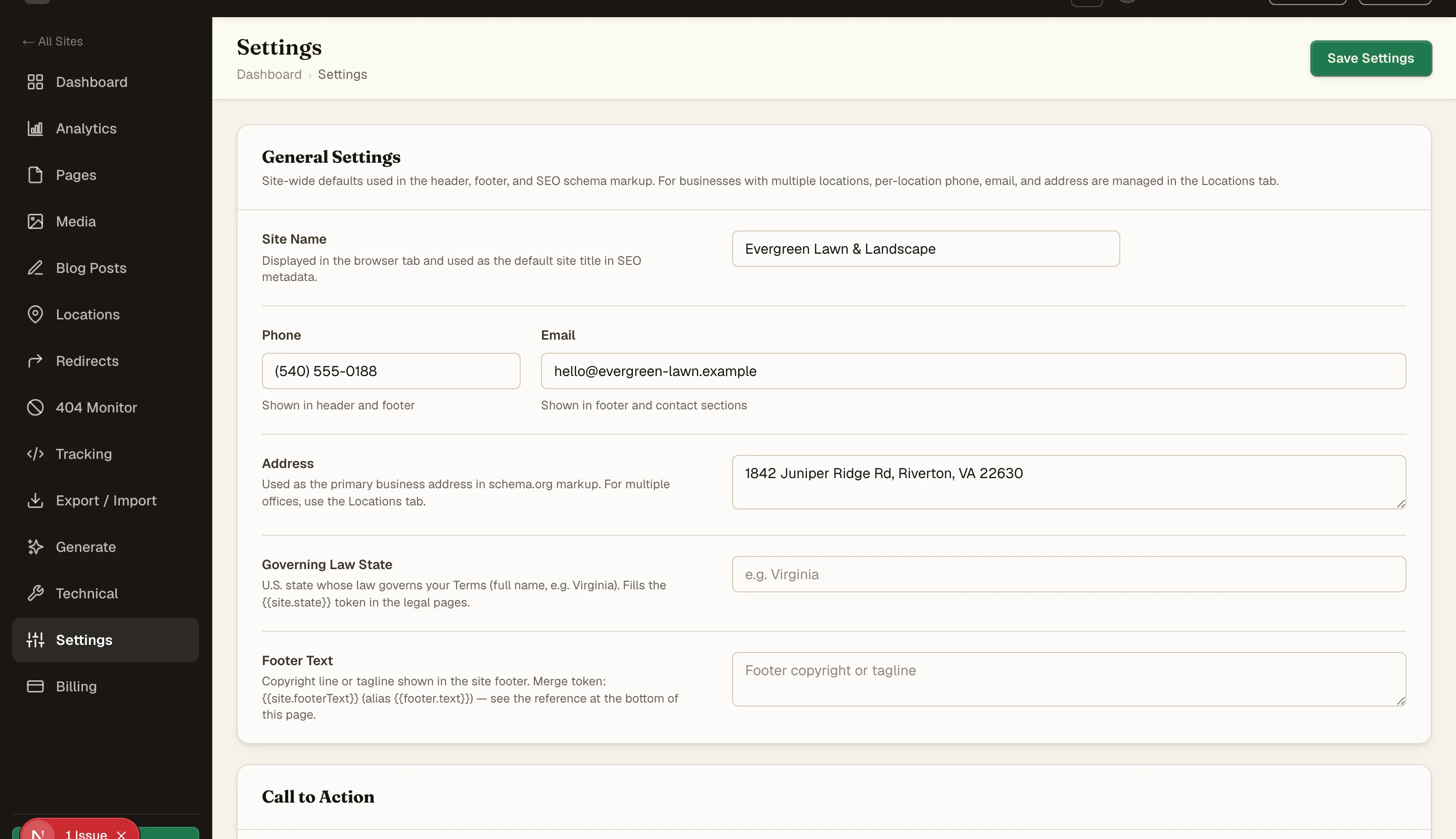
The basics that identify the business:
| Field | What it does |
|---|---|
| Site Name | The site's name. Used in title templates, the footer, structured data, and default headings |
| Phone / Email / Address | Business contact details. Elements like NAP, Click to Call, and the footer read these |
| Governing Law State | Fills the state token in the templated legal pages (Privacy Policy, Terms) |
| Footer Text | Copyright line or short tagline for the footer bottom bar |
A second phone number with per-phone labels, a top-bar reviews line, and a special-offers link are also available for service-business headers.
Call to Action#
The site-wide primary CTA:
| Field | What it does |
|---|---|
| Tagline | Short slogan. Shown in the footer and used as an OG description fallback |
| CTA Label | Primary button text used in the header, hero sections, and footer (for example "Get a Free Estimate") |
| CTA URL | Where the primary CTA points, usually a contact page path |
The blog sidebar has its own CTA heading and sub-text fields, so a SaaS site can override the local-service default there without touching the main CTA.
Branding#
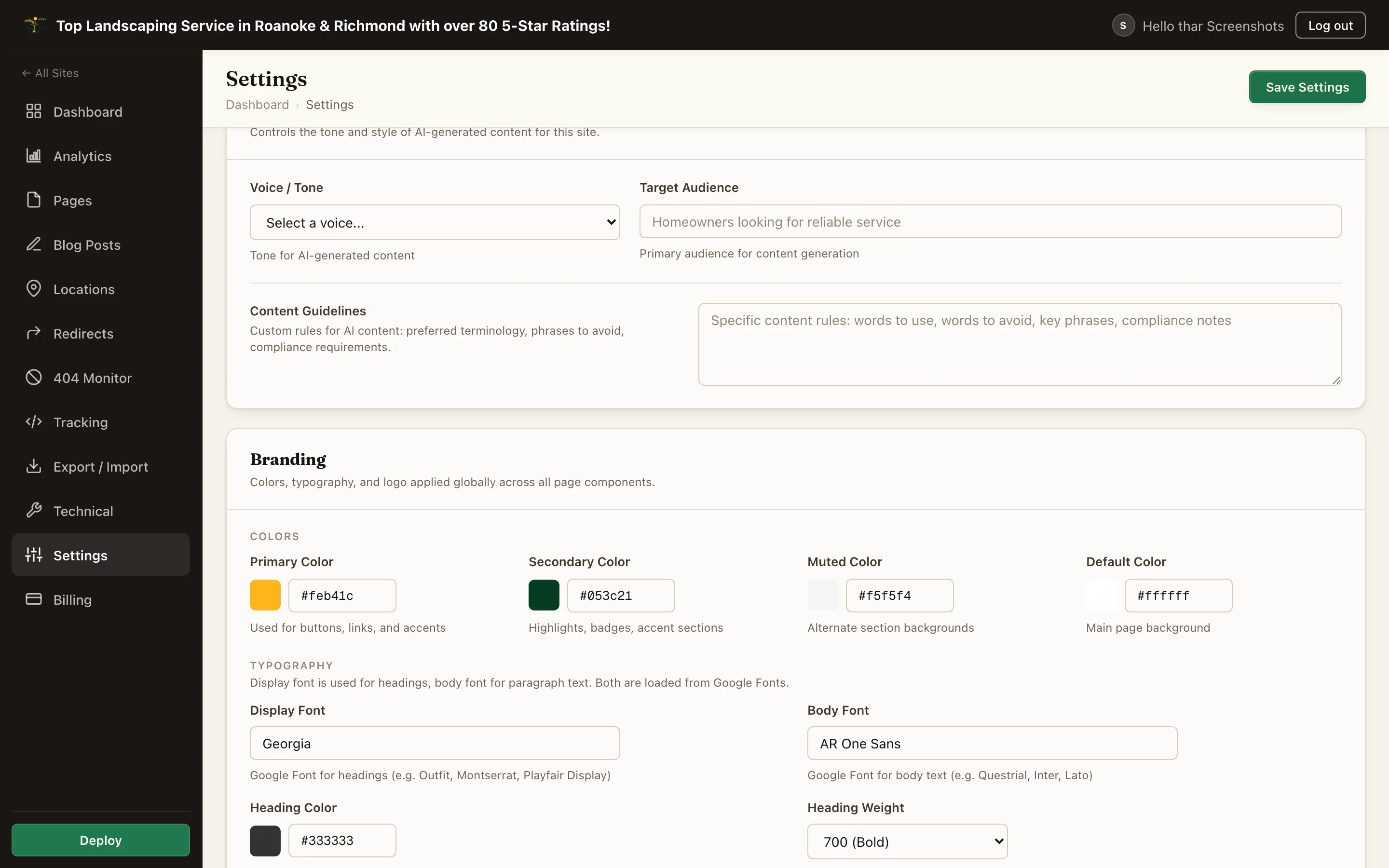
Brand tokens drive the whole platform: the published site, the preview, and the builder canvas all read the same values, so what you style is what ships.
Colors#
| Field | What it does |
|---|---|
| Primary Color | The main brand color. Buttons, links, and brand-styled sections use it |
| Secondary Color | Highlights, badges, and accent sections |
| Muted Color | Subtle background for alternate sections and cards |
| Default Color | The default page and section background (usually white or near-white) |
| Heading Color / Body Text Color | Text colors applied site-wide |
Fonts#
| Field | What it does |
|---|---|
| Display Font | Google Font family for headings and display text |
| Body Font | Google Font family for paragraphs |
| Heading Weight / Body Text Weight | Font weights applied site-wide |
Fonts are self-hosted at build time, so the published site does not load them from Google's CDN. That keeps pages fast and avoids a third-party request.
Logo and Favicon#
Upload a Logo and a Favicon from the media library. The Logo element in the header and footer builders binds to this logo, so swapping the file here updates the site chrome everywhere.
Content & Voice#
These fields give AI-assisted content generation its guardrails for this site:
- Voice / Tone - pick from Professional, Warm, Direct, Casual, or Technical.
- Target Audience - who the copy should speak to.
- Content Guidelines - words to use or avoid, key phrases, compliance notes.
Navigation#
Build the site's menu as a list of nav items, each with a Label and URL, and optional children that render as dropdown items. The Menu element in the header builder binds to this list, so editing navigation here updates the rendered header.
Footer link groups (hours rows, location links, and legal links such as Privacy Policy and Terms) are configured the same way and hide automatically when left empty.
Social Media#
Profile URL fields for Facebook, Instagram, LinkedIn, YouTube, X (Twitter), and Google Business Profile. These render as footer social icons and feed the site's structured data.
Analytics and Tracking#
- First-party analytics - turns on the built-in Website Analytics Dashboard collector (click maps, scroll depth, attention). See Analytics.
- UTM persistence - carries campaign parameters across a visit and stamps them onto the analytics session. Passing them to CRM form embeds is a separate setting that only reaches the hostnames you list.
- Google Analytics ID - a native field for a GA4 Measurement ID or GTM container. The snippet is injected with deferred loading so it does not hurt page speed.
- Head Scripts / Body Scripts - raw tracking snippets injected into the page head or before the closing body tag. Scripts are sanitized on save; supported tag types are listed next to each field.
- Cookie consent - an optional consent banner that gates tracking scripts behind visitor consent, with editable banner text and a privacy-policy link.
Custom CSS#
A site-wide stylesheet injected into every page. Use it for brand tweaks and shared component classes (see Brand DNA and component classes). Prefer the builder's native style fields for individual elements; Custom CSS is for the site-wide layer.
Header Style and Templates#
- Header Style - chooses the header/footer layout family for the site (Service Business, SaaS / Marketing, or Minimal). Sites with a custom-built header from the Header and Footer Builder use that instead.
- Home page and system templates - which page serves at the site root, and the 404 / blog archive / post templates, are managed in the Technical tab.
- Blog URL structure - the blog post URL prefix is covered in Blog. (An older "flat blog URLs" checkbox sat next to it and never did anything; it has been retired. The prefix is the only control.)
Summary#
| Area | Controls |
|---|---|
| General | Name, contact details, footer text, legal state |
| CTA | Site-wide button label and destination |
| Branding | 4 brand colors, 2 font families, heading/body colors and weights, logo, favicon |
| Content & Voice | Tone, audience, and guidelines for AI-assisted content |
| Navigation | Menu items with dropdowns, footer link groups |
| Social | 6 profile URL slots |
| Analytics | First-party analytics, UTM persistence, GA field, script slots, cookie consent |
| Custom CSS | Site-wide stylesheet for shared classes and overrides |